Back to templates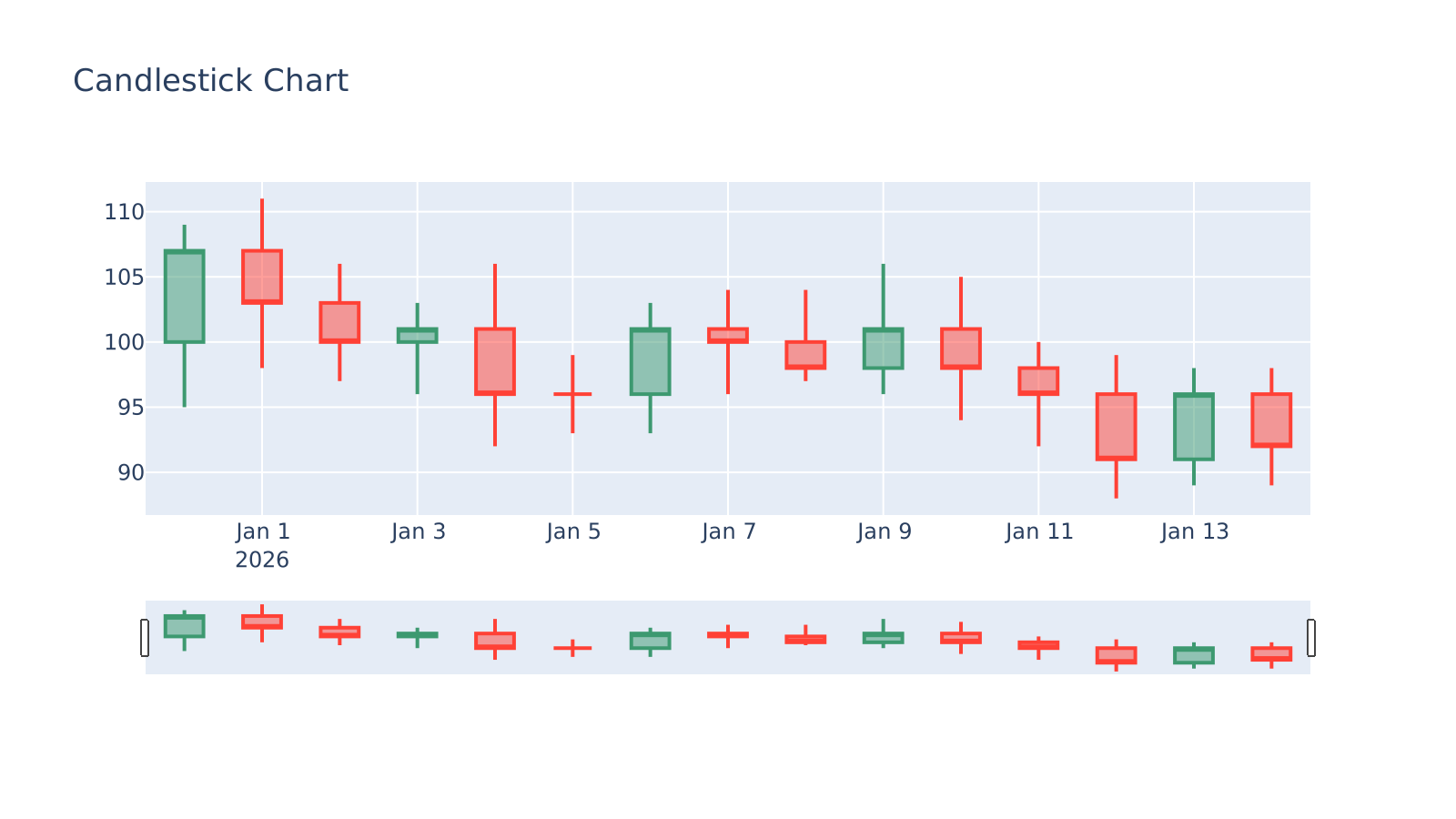
Plotly KLine chart
EconomicsKLine chart/Candlestick chart, For financial data analysis, Show opening price, Highest price, Lowest price, Closing price.
Publisher: OOPLOT
Published: 2026/4/1
ID: 55
Usage: 0·Views: 0·Favorites: 0
PYTHONplotly
Parameters (4)
- • Width (Default: 9)
- • Height (Default: 6)
- • DPI (Default: 300)
- • Chart title (Default: Candlestick Chart)
Template Inheritance
Parent:None
Children:None
Data Format Requirements
Required Columns
- Date(Date)TextRequired
- Opening price(Open)NumericRequired
- Highest price(High)NumericRequired
- Lowest price(Low)NumericRequired
- Closing price(Close)NumericRequired
Example Data
You can directly copy and save as data.csv for upload.
Date,Open,High,Low,Close
2025-12-31,100,109,95,107
2026-01-01,107,111,98,103
2026-01-02,103,106,97,100
2026-01-03,100,103,96,101
2026-01-04,101,106,92,96
2026-01-05,96,99,93,96
2026-01-06,96,103,93,101
2026-01-07,101,104,96,100
2026-01-08,100,104,97,98
2026-01-09,98,106,96,101
2026-01-10,101,105,94,98
2026-01-11,98,100,92,96
2026-01-12,96,99,88,91
2026-01-13,91,98,89,96
2026-01-14,96,98,89,92Chart Preview
How to Use
1.Extract/Search/Create Template
Upload images to let AI extract templates in one click, search and select templates, or create templates.
2.View Sample Data
View sample data and manually or via AI modify the data structure to meet template requirements.
3.Upload Data & Run
Upload data, run the template, preview results, and adjust parameters/code to modify the template and chart.
4.Save & Export Chart
Export charts in PNG / JPG / SVG / PDF formats or save to OOPLOT.